


News Today: Local & Alerts
4.4340.00 Reviews
App Specs
- Version
- 1.16.0
- Updated On
- License
- Free
- Downloads
- 1,000,000+
- Developer
- Apps Skyline
- Categories
- News & Magazines
- Platform
- Android
Screenshots
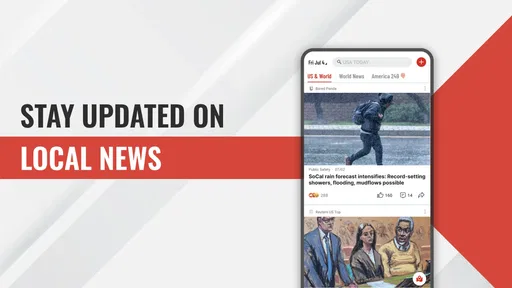
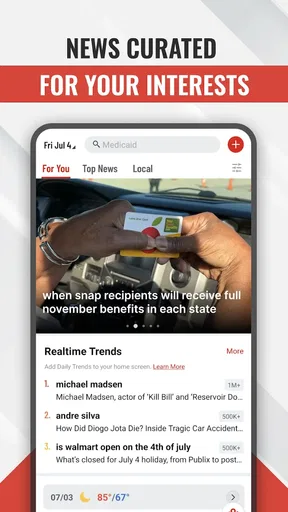
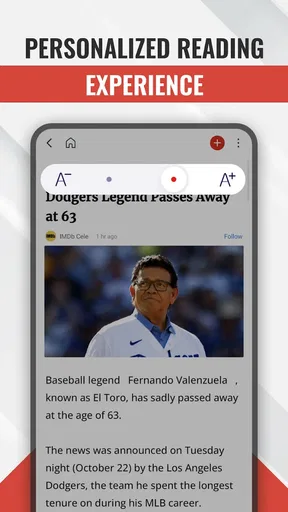
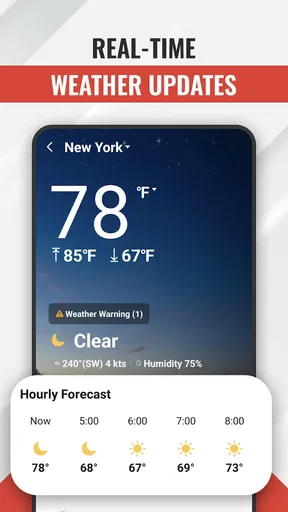
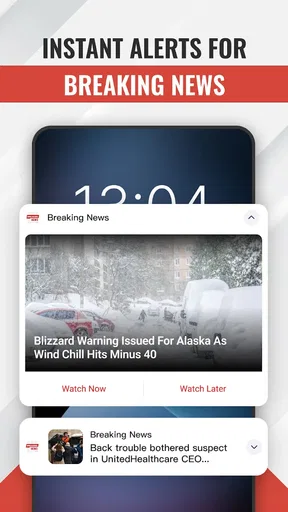
 Analysis by AppCompare
I tend to notice news apps most when something seems to be happening nearby and I want a quick, useful answer: is this relevant to me, and should I pay attention now? Breaking News: Local & Alerts is aimed at that kind of check-in, bringing news updates and local coverage together rather than asking me to browse a long list of publications. It is a free News & Magazines app from Apps Skyline, and its appeal is straightforward: get a sense of what is happening without turning every spare moment into a news-reading session.
Where getting started can feel less obvious
The main friction with a news app is not usually opening it; it is deciding how much news you want it to bring to you. Alerts can be helpful when a story matters, but too many interruptions quickly make them background noise. I would start by choosing only the topics and local updates I genuinely want to notice, then use the app for intentional browsing when I have time. That gives notifications a better chance of feeling useful instead of making me want to silence everything.
It is also worth separating two different expectations: a breaking alert is a prompt to look at a developing story, not necessarily the whole story. When something sounds serious or affects a decision, I would open the article and look for context before forwarding a headline or acting on it. That small habit matters particularly with fast-moving local events, where early reports can be brief and details may change.
Setup checks that make the experience more useful
Before judging whether the app is keeping you informed, I would check that its news preferences reflect what you actually follow. A broad mix can make the feed feel busy; a narrow selection can leave it quiet. If local coverage is your main reason for installing it, make that the first thing you assess during normal use. The useful question is not whether the app shows a lot, but whether the updates it surfaces are relevant to your area and routine.
Notifications also depend on the phone’s own settings. If alerts are not appearing, check that notifications for the app are allowed in the device settings and that the phone is not silencing them through a focus or do-not-disturb mode. If they arrive too often, adjust the app’s available preferences rather than assuming that every alert must be enabled. I would make one change at a time, then observe the result for a while; changing several settings together makes it harder to tell what helped.
A practical workflow when an update is hard to follow
When an alert catches my attention, I treat it as a starting point: open the story, read beyond the headline, and decide whether it merits a follow-up check later. For a developing situation, returning to the coverage after some time is more sensible than repeatedly refreshing in search of certainty. If an item fails to load, I first check whether other apps can connect, then try again when the connection is steadier. This separates a temporary network problem from an issue with the news feed.
For a commute or another period with unreliable service, it helps to think ahead about what I want to read. The original article describes saving stories for offline reading, which can be useful when I know I will lose connectivity. I would save a few pieces while online rather than relying on an alert arriving underground. That is a practical distinction: offline access can help with material already saved, but it should not be confused with receiving fresh updates without a connection.
Worth Reading Before You Choose

EA SPORTS FC Mobile 26 Is a Bigger Football Game, but It Takes Time

Flipboard Shows What News Apps Must Do Beyond the Feed

Switching to Android Auto Means Rethinking Your Driving Routine

Google Calendar Makes a Crowded Week Easier to Manage

Ludo King Makes the Most of the Minutes Between Plans

Baby Panda World Brings Quick Play to Modern Phones, but Its Game Library Feels Busy
When the app may not be the problem
A quiet feed does not automatically mean the app has stopped working. It may simply be a slow news period for the topics selected, or the preferences may be too specific. Likewise, a delayed notification can reflect the phone’s notification controls or an inconsistent connection. I would compare what appears inside the app with what reaches the notification tray before changing settings; that quick check can show whether the issue is with delivery or with what is being surfaced.
There is also a difference between a convenient news roundup and a primary source. For urgent instructions, safety decisions, or a rapidly changing local incident, I would verify important details with the relevant local authority or the organization directly involved. A news app can help me notice a story and find coverage, but it should not be my only source for information where accuracy and immediate action matter.
Who will get the most from it
I can see this fitting someone who wants a quick overview of local and broader headlines in one place, especially a reader who prefers occasional check-ins to visiting several news sites throughout the day. It may also suit a commuter who wants to read saved articles when service is unreliable. Someone who follows only one specialist subject, wants a particular newsroom’s reporting style, or needs authoritative emergency instructions may be better served by that publication or official source directly.
Compared with opening separate newspaper apps, a combined news app can make discovery more convenient, but convenience is not the same as editorial depth. A dedicated publication may offer a clearer point of view and more sustained reporting on its own coverage area. I would use this app for a broad scan, then go directly to a trusted outlet when a subject deserves a deeper read. That division of labor is more useful than expecting one feed to replace every source.
Stay in the Loop with Real-Time Updates
Let’s face it, in today’s fast-paced world, keeping up with the latest news can feel like a full-time job. But with Breaking News: Local & Alerts, staying informed has never been easier. This app does an impressive job of delivering real-time news updates directly to your phone. Whether it’s local events, national headlines, or global happenings, you’re covered.
Customizable Alerts
One of the standout features for me is the customizable alerts. You can tailor the notifications to your preferences. So, whether you're keen on politics, interested in sports, or just want to know about local incidents, you can set it all up with a few simple taps. Trust me, it’s like having a personal news assistant in your pocket.
User-Friendly Interface
Now, let's talk about the interface. The app is designed with simplicity in mind. I found it incredibly easy to navigate. The clean layout ensures that finding your way around the app is as intuitive as it gets. Plus, the night mode feature is a nice touch for those late-night news binges.
Coverage and Reliability
The app sources its news from a wide range of reliable outlets. I was pleasantly surprised by the diversity of perspectives available. Whether it’s detailed articles or quick alerts, the app ensures you get a well-rounded view of any situation. It’s like having a whole newsroom at your fingertips.
Offline Reading
For those moments when you’re off the grid, the app allows you to save articles for offline reading. This feature came in handy during my subway rides where internet connection is spotty at best. It’s a lifesaver for anyone who likes to catch up on news during their commute.
“It's like having a personal news assistant in your pocket.”
How I would fit it into an ordinary day
Imagine checking local headlines over breakfast, then seeing a notification while getting ready to leave. I would open it only if the subject could affect my plans, read the available context, and leave less relevant stories for a later browse. On the train, I would turn to articles saved earlier rather than expecting new reports to load in a tunnel. That routine uses the app as a useful filter, not as a reason to keep checking my phone.
For families or people coordinating plans, the local angle can help flag a story worth discussing, but I would still verify practical details before changing a route or schedule. A headline may tell me that an event is developing; it may not answer whether a particular street is closed or when a disruption will end. In that situation, the best next step is a direct check with the source responsible for the service or location.
What its popularity and updates suggest
The app has a 4.5 average from around 2.2 thousand ratings, with about 220 written reviews, and it has passed 500 thousand installs. Those figures suggest that many people have tried it and that the overall response is positive, but they cannot tell me whether the local coverage suits a particular neighborhood. I would judge that for myself over several ordinary days, paying attention to whether the stories are timely and relevant rather than treating popularity as proof that every feed will be equally useful.
Breaking News: Local & Alerts is currently at version 1.10.0 and is listed for devices running Android 8.0 or later. It is rated for Everyone. Those are practical checks before installing: confirm that the phone meets the minimum system requirement, and consider whether a general-audience news experience is appropriate for the person using it. The app is free, which makes trying it a low-commitment way to see whether its mix of coverage works for you.
Small habits that reduce noise
One useful approach is to make a distinction between reading time and alert time. I would keep the notification choices focused, then set aside a short window to browse the feed when I am ready to concentrate. This avoids letting every new headline dictate the day while still making it easy to catch up. If the app begins to feel repetitive, I would review what I chose to follow and remove topics that no longer help me make sense of what is happening.
I would also avoid treating the number of headlines as a measure of quality. A shorter feed that connects to stories I care about is often more useful than a constant stream of loosely relevant updates. If the app is not surfacing enough depth on an important subject, that is a cue to consult a specialist publication rather than keep changing preferences in search of reporting the feed may not be designed to provide.
My practical verdict
Breaking News delivers real-time updates, personalized content, and local news, and its strongest case is as a convenient first stop for readers who want an accessible overview. Apps Skyline has made a news app that, in my experience, is easy to approach and offers useful ways to keep up without having to begin with several separate sources. I would recommend trying it if local awareness and quick news browsing are part of your routine.
I would not rely on it alone for emergency guidance, deep specialist reporting, or a carefully curated single-publication experience. Those needs call for official channels or a trusted dedicated outlet. For everyday discovery, though, the balance of alerts, browsing, and saved reading can be handy—as long as I keep notifications selective and check important details at the source. That is the way I would use it: as a practical news companion, not the final word on every story.
Customizable Alerts
One of the standout features for me is the customizable alerts. You can tailor the notifications to your preferences. So, whether you're keen on politics, interested in sports, or just want to know about local incidents, you can set it all up with a few simple taps. Trust me, it’s like having a personal news assistant in your pocket.
User-Friendly Interface
Now, let's talk about the interface. The app is designed with simplicity in mind. I found it incredibly easy to navigate. The clean layout ensures that finding your way around the app is as intuitive as it gets. Plus, the night mode feature is a nice touch for those late-night news binges.
Coverage and Reliability
The app sources its news from a wide range of reliable outlets. I was pleasantly surprised by the diversity of perspectives available. Whether it’s detailed articles or quick alerts, the app ensures you get a well-rounded view of any situation. It’s like having a whole newsroom at your fingertips.
Offline Reading
For those moments when you’re off the grid, the app allows you to save articles for offline reading. This feature came in handy during my subway rides where internet connection is spotty at best. It’s a lifesaver for anyone who likes to catch up on news during their commute.
"It's like having a personal news assistant in your pocket."
Final Thoughts
In a world where news is constantly evolving, Breaking News: Local & Alerts is a solid companion for anyone who wants to stay informed without the noise. The app’s real-time updates, customizable notifications, and user-friendly interface make it a must-have. If you’re looking for a reliable way to keep your finger on the pulse, this app is definitely worth checking out.
Ready to give it a try? You can find it on both Android and iOS platforms. Happy news hunting!
Pros
- Real-time updates keep you informed.
- Customizable alerts for your local area.
- User-friendly interface enhances navigation.
- Supports multiple news categories.
- Offline reading mode available.
Cons
- Frequent ads can interrupt reading.
- Limited international news coverage.
- Occasional notification glitches.
- May require a strong internet connection.
- Subscription needed for premium features.
FAQs for News Today: Local & Alerts
What features does Breaking News: Local & Alerts offer?
Breaking News: Local & Alerts provides real-time updates on local and international news. The app offers customizable alerts, allowing users to choose topics of interest. It also includes an intuitive interface with live video streaming, offline reading options, and a personalized news feed tailored to your preferences.
Is Breaking News: Local & Alerts free to use?
Yes, Breaking News: Local & Alerts is free to download and use on both Android and iOS platforms. It offers in-app purchases for premium features like ad-free browsing and additional customization options, enhancing the user experience without mandatory spending.
How reliable is the news content on Breaking News: Local & Alerts?
Breaking News: Local & Alerts aggregates information from reputable sources worldwide. The app ensures accuracy by partnering with trusted news agencies, providing users with credible and up-to-date news coverage. Additionally, the app’s editorial team reviews content for quality assurance.
Can I customize my news alerts and notifications?
Absolutely, the app allows users to customize alerts based on their interests. You can select specific topics like sports, politics, or entertainment to receive timely notifications. This customization ensures you stay informed about the news that matters most to you.
Does Breaking News: Local & Alerts support offline reading?
Yes, the app supports offline reading by allowing users to save articles for later. This feature is particularly useful for those who want to catch up on news without internet connectivity. Simply download the articles when online, and access them anytime, anywhere.


